Co-browsing allows a customer service agent to securely see and interact with a customer’s digital experience in real time.
But what is actually happening behind the scenes?
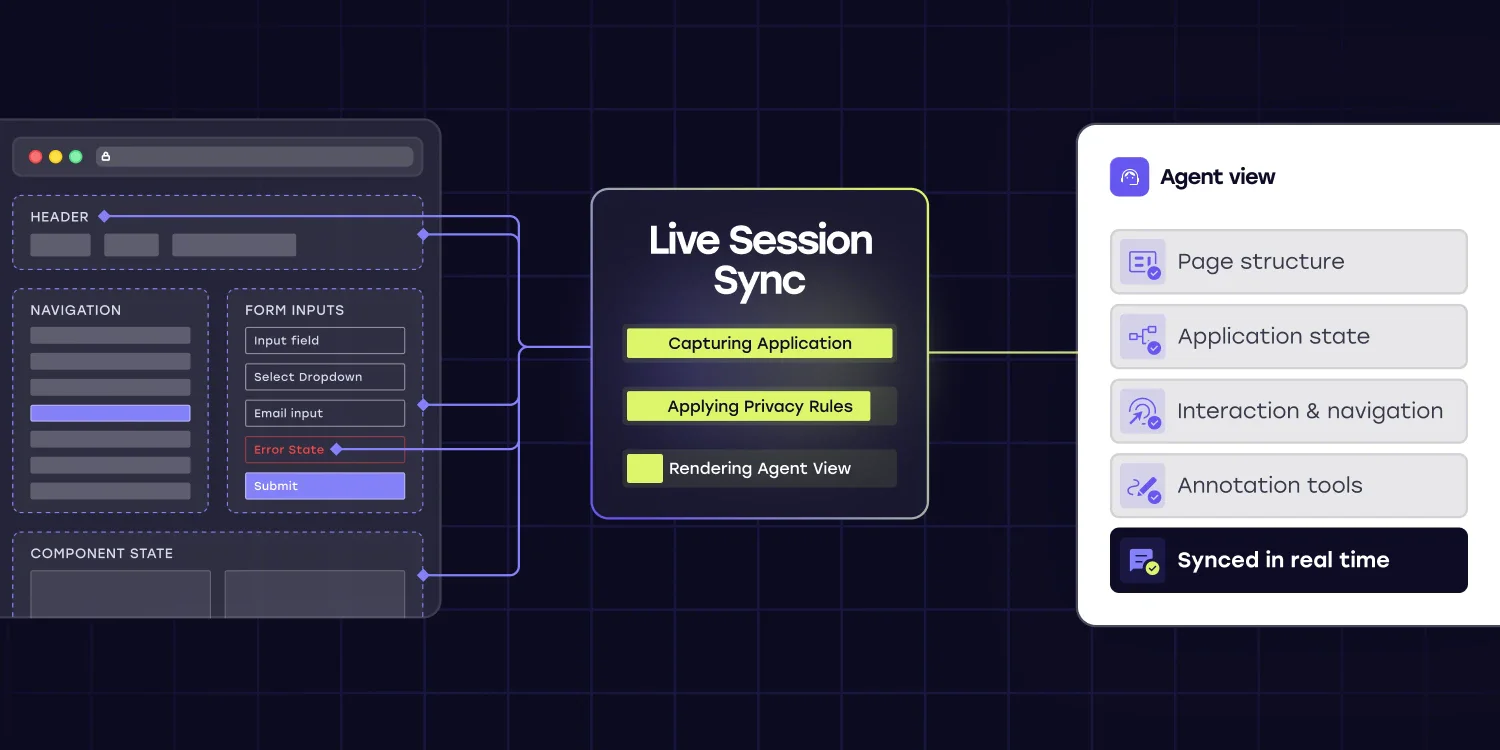
Co-browsing works by synchronizing the relevant state of a customer’s website or application with an authorized agent. The agent receives a representation of the permitted customer experience while the organization controls what information is shared and what actions the agent can perform.
At a high level:
Customer starts session → application state is rendered for agent → agent side render receives real-time updates → customer and agent collaborate
The important distinction is that the agent isn’t simply given unrestricted access to the customer’s device. Co-browsing creates a controlled collaboration layer between the customer’s digital experience and the agent.
What actually gets shared during co-browsing?
To help a customer, an agent needs enough context to understand what’s happening.
On the web, that can include the structure and relevant content of the page, application state, navigation, form changes, error messages, and other information needed to reproduce the permitted customer experience.
As the customer interacts with the application, relevant changes are synchronized so the agent can follow the experience in real time.
This is particularly important for modern dynamic websites and single-page applications, where the experience can change substantially without a traditional page reload.
Not everything needs to be included.
Organizations can determine which information, pages, or experiences are available during co-browsing. Sensitive information can also be removed before permitted session information is shared.
The result is an important distinction:
The agent receives a synchronized rendering of the permitted customer experience—not unrestricted access to the customer’s device.
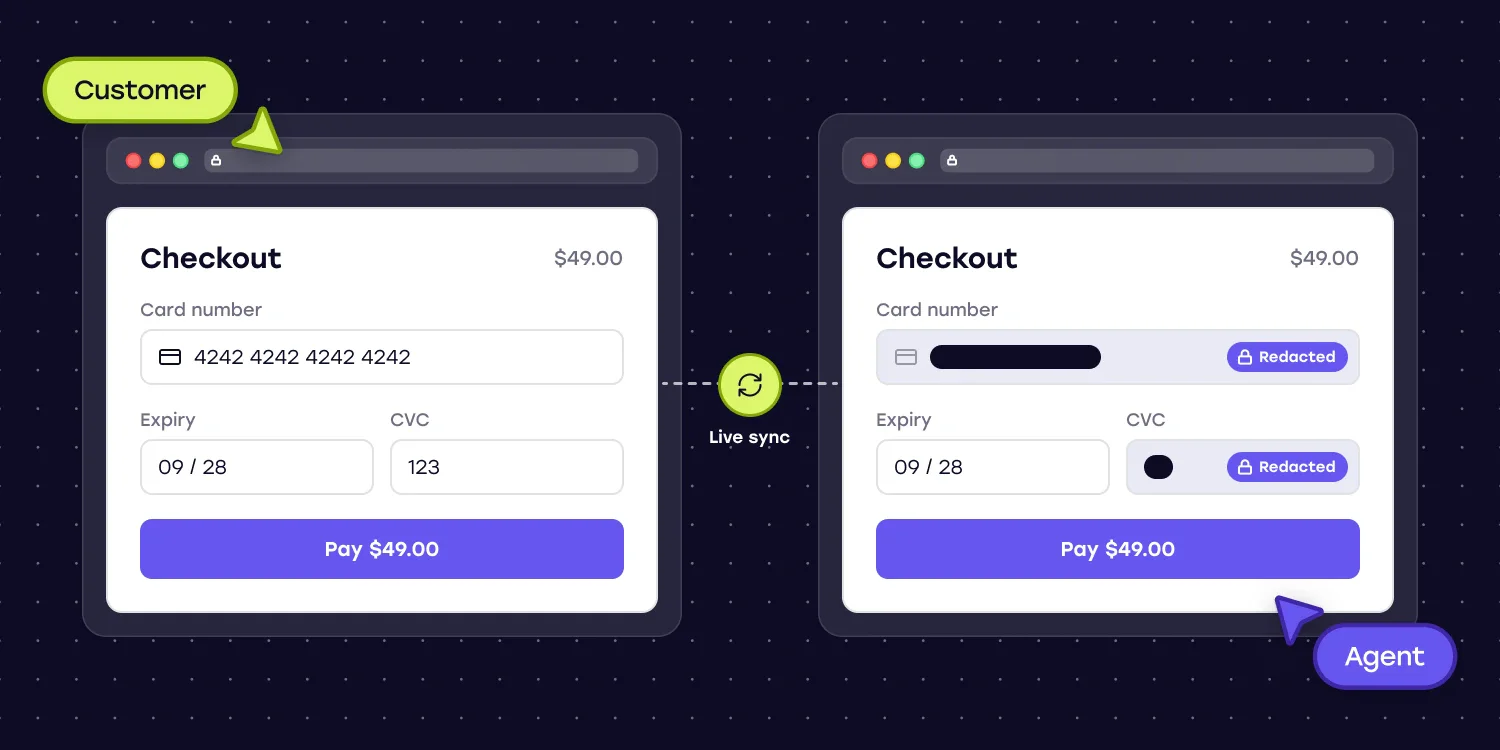
How does co-browsing protect sensitive information?
Enterprise applications often contain information an agent doesn’t need to see.
A banking agent might need to know that a customer is stuck on a particular form without needing access to their password, authentication code, account number, or other sensitive information.
Cobrowse supports device-side redaction, allowing designated sensitive information to be removed before permitted session information leaves the customer’s device.
The flow becomes:
Customer starts session → redaction selectors block sensitive information → application state is rendered for agent with restricted view
Cobrowse also supports Private by Default, where application content can remain private unless it has explicitly been approved for sharing with an agent.
This means privacy isn’t simply applied to what the agent sees at the end of the process. It can determine what information enters the co-browsing session in the first place.
For a deeper explanation, see Secure Co-Browsing: How Enterprise Co-Browsing Protects Sensitive Customer Data.
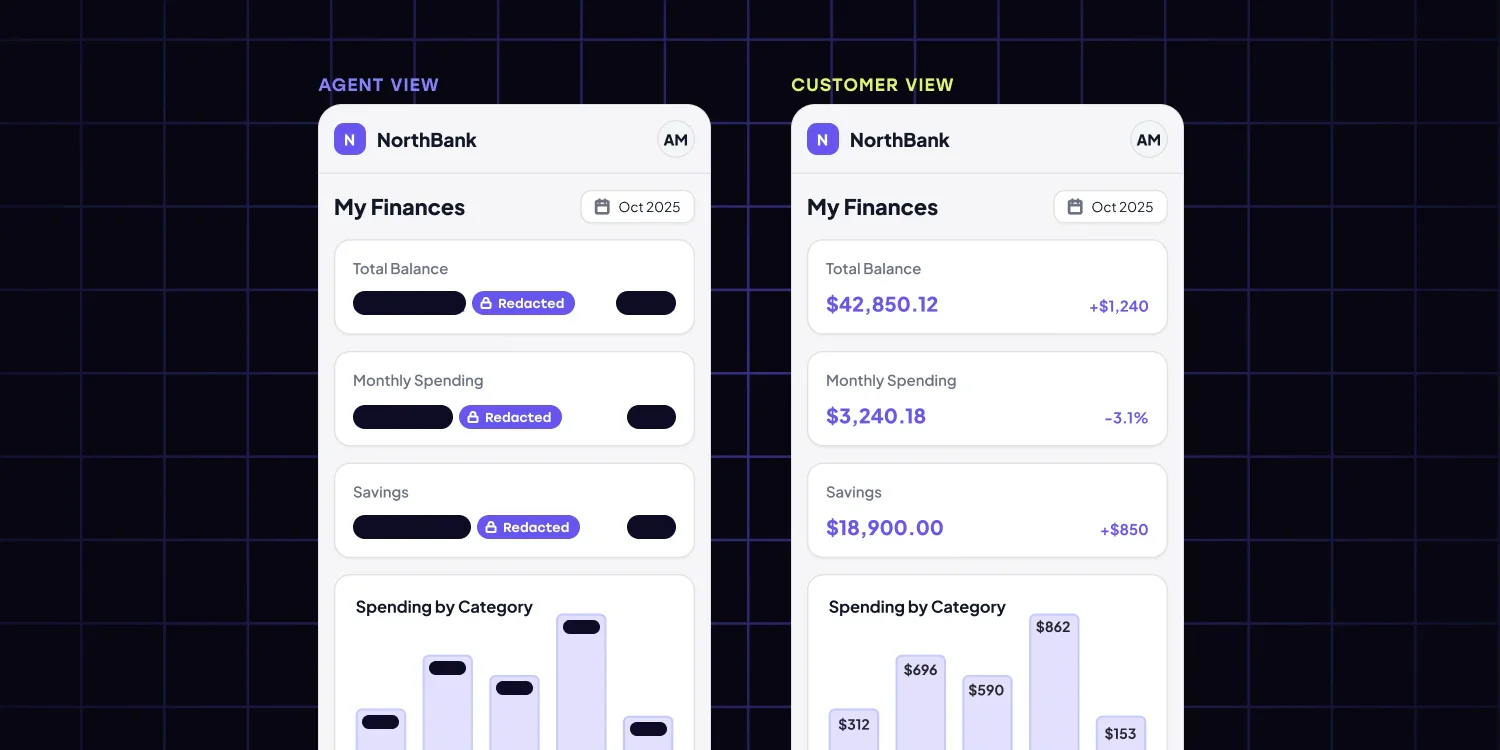
How can an agent interact with the customer's experience?
Co-browsing can be bidirectional.
While synchronization allows the agent to understand the customer’s experience, enterprises can also permit the agent to participate in it.
Depending on the configuration, that can include:
- Pointing and annotation
- Scrolling
- Navigating
- Clicking
- Typing
- Interacting with permitted controls
Those capabilities can be restricted based on the application, customer journey or agent role.
An agent might be allowed to navigate through part of an application, for example, while being prevented from interacting with a sensitive field or action.
A useful way to think about the technology is:
SDK rendering determines what the agent can understand. Permissions determine how the agent can participate.
The goal isn’t unrestricted control. It’s enough access to effectively guide the customer through the digital experience.
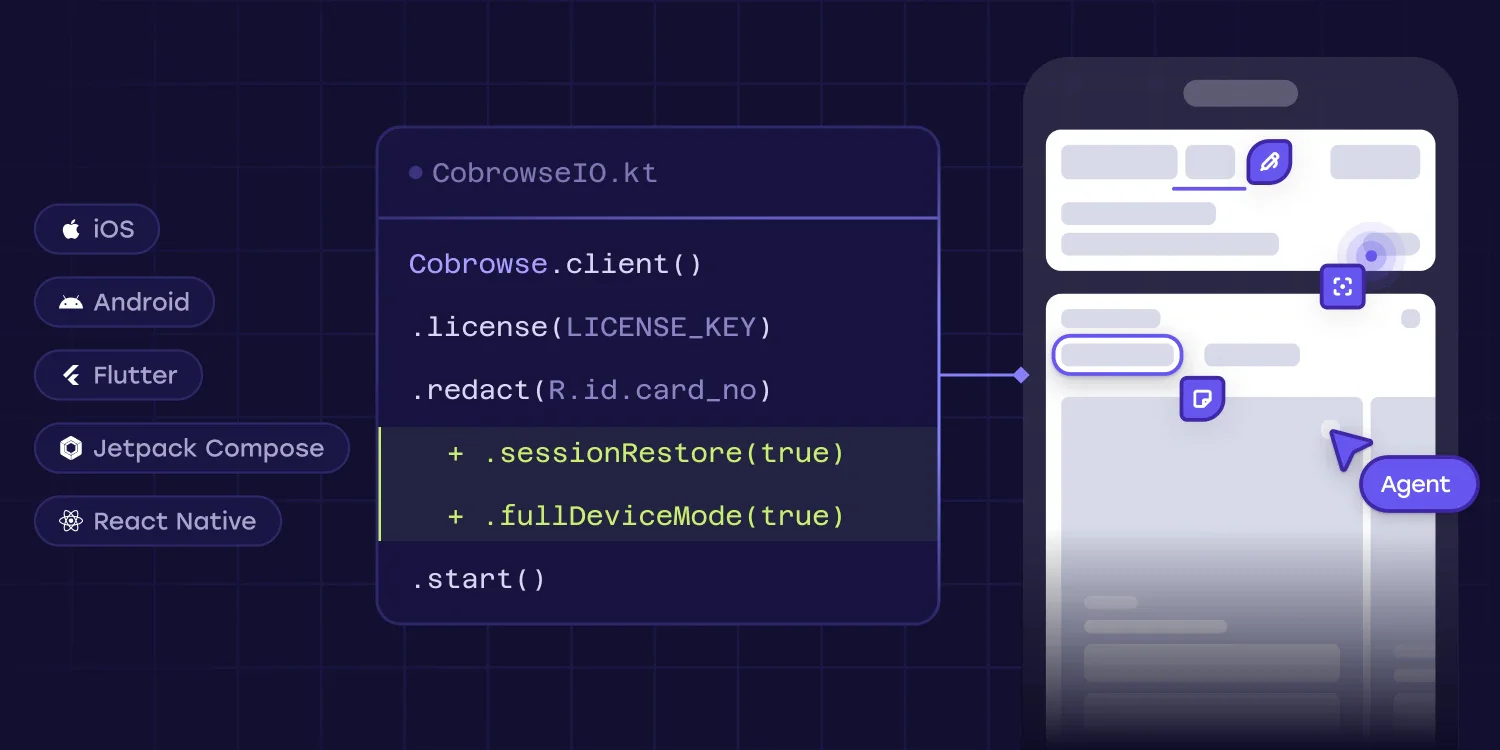
How does co-browsing work in native mobile apps?
Native mobile applications work differently from websites because there isn’t a browser DOM to synchronize in the same way.
Cobrowse integrates with supported mobile applications through an SDK. During a session, the SDK provides the permitted in-app experience needed to create a synchronized view for the agent.
The same basic model still applies:
Customer app → privacy controls → permitted in-app experience → agent side render receives real-time updates
This allows enterprises to extend co-browsing into native iOS and Android applications while maintaining controls over what agents can see and do.
Cobrowse supports modern mobile environments including SwiftUI, Jetpack Compose, React Native, Flutter, hybrid applications, and webviews.
For more detail, see Mobile Co-Browsing: How Co-Browsing Works in Native iOS & Android Apps.
How Co-Browsing Works: FAQ
How does co-browsing work?
Co-browsing synchronizes permitted information from a customer’s website or application with an authorized agent in real time. The agent receives a synchronized representation of the customer’s digital experience while privacy and permission controls determine what the agent can see and do.
Does co-browsing give an agent access to the customer’s device?
No. Cobrowse provides the agent with a synchronized representation of the permitted website or application experience rather than unrestricted access to the customer’s device. Organizations control which digital experiences and interactions are available to agents.
What data does co-browsing share?
Cobrowse synchronizes the permitted application information needed to provide the agent with useful digital context. Information designated as sensitive can be redacted on the customer’s device before permitted session information is shared with the co-browsing session.
Does co-browsing work with single-page applications?
Yes. Co-browsing can support dynamic web applications and single-page applications where content and application state change without traditional full-page reloads. Relevant changes are synchronized so the agent’s experience remains aligned with the customer’s.
Does co-browsing work inside native mobile apps?
Yes. Cobrowse integrates with supported native iOS and Android applications through an SDK, allowing agents to receive a synchronized representation of the permitted in-app experience while maintaining configured privacy and interaction controls.
A controlled collaboration layer
The technology behind co-browsing comes down to three things:
Synchronize what the agent needs. Protect what they don’t. Control how they can participate.
That creates a shared digital context between the customer and agent without giving the agent unrestricted access to the customer’s device.
It’s the foundation of how Cobrowse provides enterprise co-browsing across web and native mobile applications.